How do I place an order?
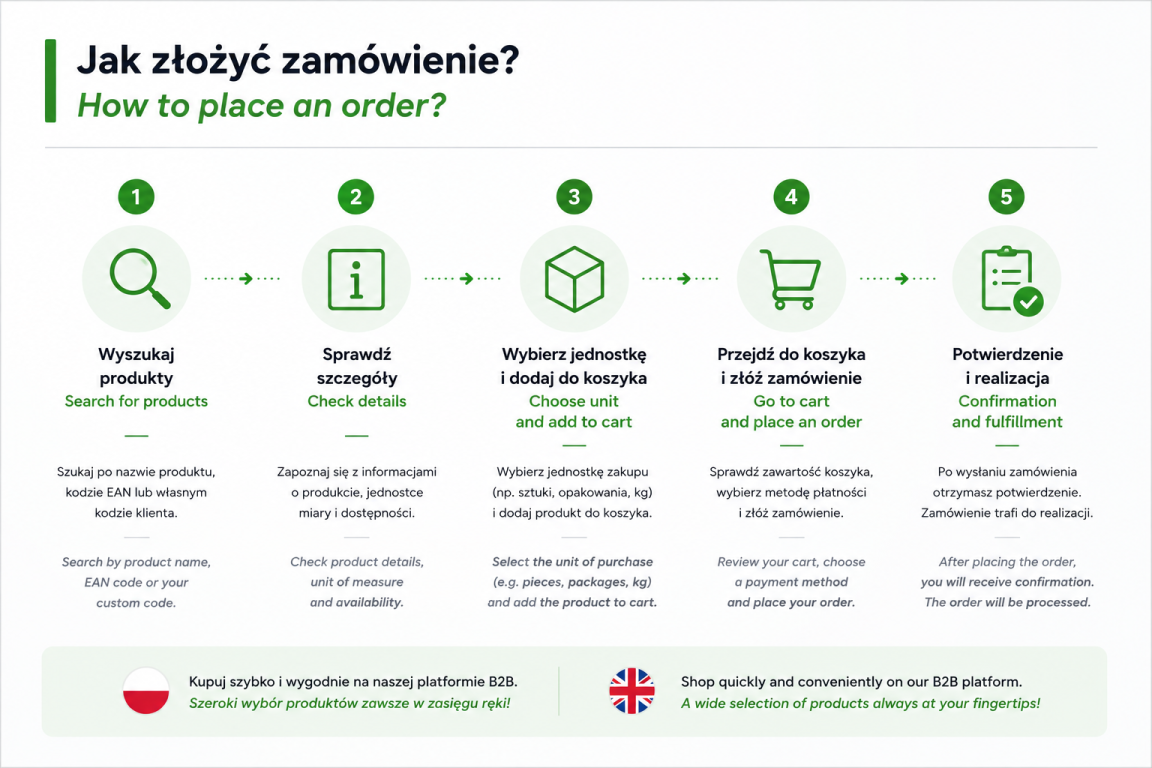
1. Product Search
Products can be searched in several ways:
- by product name,
- by EAN code,
- by your custom customer code assigned to the product.
Once you have found a product, you can add it directly from the product list or open the product page to view more details.
2. Product Information
The product page provides additional information, including:
- number of items per package,
- number of items per pallet,
- number of packages per pallet,
- available units of measure.
3. Select a Purchasing Unit
Before adding a product to your basket, select the preferred unit of measure, such as individual items, packages or kilograms.
Good to know:
For selected products, purchasing in packages may be more cost-effective, as additional discounts are available for this purchasing option.
For selected products, purchasing in packages may be more cost-effective, as additional discounts are available for this purchasing option.
4. Adding Products to Your Basket
As products are added to your basket, the order value updates automatically. You can monitor the total basket value in real time.
5. Completing Your Order
Once you have added all required products:
- Go to the Unsubmitted Baskets section.
- Open the prepared basket and click Proceed to Order.
- Select your preferred payment method.
- Review your order details.
- Click Submit Order.
Once submitted, your order will be forwarded for processing.
